

About This Tool
What is it?
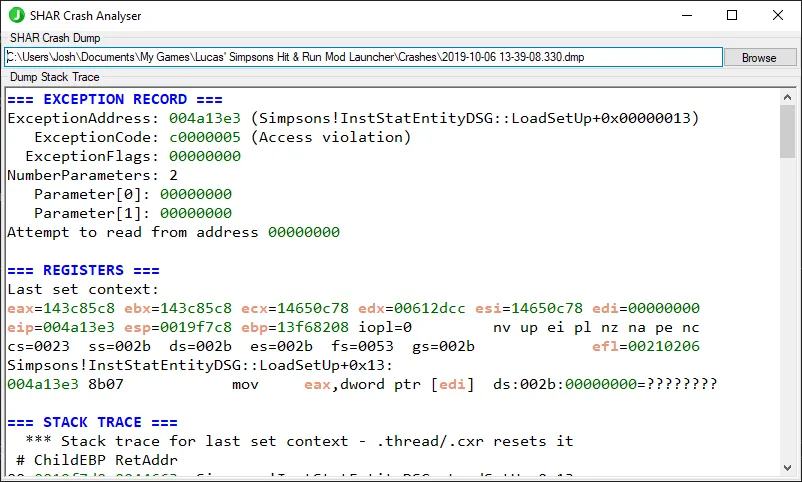
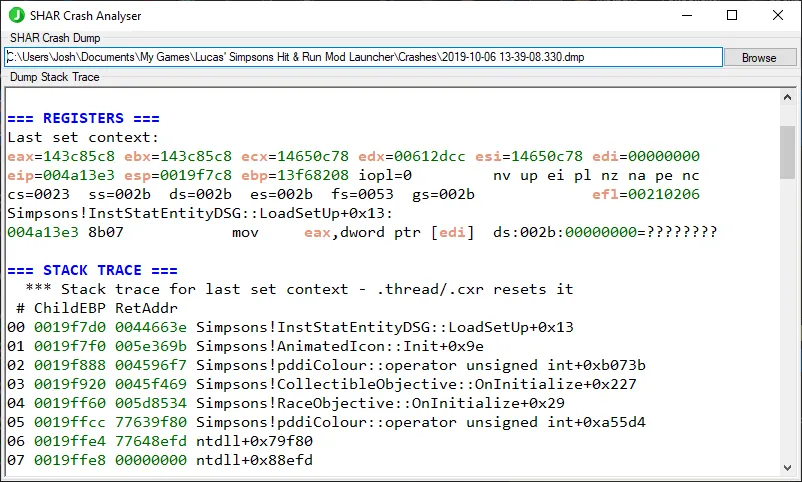
Powered by WinDbg and a CSV of known SHAR functions, this tool will open and analyze SHAR crash dumps, and return the stack trace.
Requirements
- .NET Framework v4.8.1
Setup
- Download latest release.
- Extract to the folder of your choice.
- Optional: Download shar_symbols.csv and place in the same folder.
How to use
GUI
- Open the app.
- Click
Browse. - Find crash dump and open it.
CLI
- Launch with the argument
--nogui.
Command Line Arguments
-?|--help- Show help message and exit
-ng|--nogui- Run in CLI mode without GUI
-p|--pause- Pause before exiting
-i|--input <path>- Specify input dump path
-c|--csv <path>- Specify symbols CSV path
-h|--hacks <path>- Specify Hacks PDB path
-nm|--nomodules- Exclude modules from analysis
-us|--updatesymbols- Force update symbols with latest
Credits
- EnAppelsin - Original idea/tool